NotebookLM + AI Code Assistant: A Research Setup AI Can't Hallucinate From
Why Context Files Stop Working
In my last article, I wrote about using structured context files to get better results from AI code assistants. Giving the tool your research, your audience, your design decisions as organized files it can reference while building. It works well.
For stable, structured knowledge, it's still the right approach.
But context files have limits. The most obvious one is size. There's only so much you can load into an AI's working memory before the quality degrades. Less obvious is what happens with complex documents. Dense legal language, layered requirements, multiple conflicting sections. The AI doesn't tell you it's struggling. It just starts filling gaps with plausible-sounding guesses.
The other issue is interrogation. Context files are good for reference. They're not built for the kind of back-and-forth querying you need when you're trying to extract specific details from a complex document. "What are the exact submission requirements?" "Does section 4 contradict section 12?" "What does this clause actually mean for our proposal?" That kind of questioning needs something more than a file sitting in your project folder.
What NotebookLM Does Differently
NotebookLM is a research tool from Google. The basic idea is that you build a notebook from multiple sources and then ask questions across all of them. Documents, website links, PDFs, Google Docs. Everything relevant to a project goes in one place.
That last part matters. It's not about loading one big document. It's about pulling together everything that should inform your work — the brief, the client's website, a competitor's site, background research, reference material — and being able to query across all of it at once.
The important difference from other AI tools is that NotebookLM stays grounded in what you put in. It doesn't draw on outside knowledge to fill gaps. If the answer isn't in your sources, it tells you. When it does answer, it cites the exact source. You can click through and verify.
That might sound like a limitation. It's actually the whole point.
When you're working with something that has to be accurate, you need a tool that knows the boundary between what it knows and what it's guessing. Most AI tools don't hold that boundary. NotebookLM does.
The other thing it handles well is contradiction. When you have multiple sources that don't fully agree — different versions of a brief, a client website that says one thing and their brand doc that says another — it can surface that tension rather than silently picking one and moving on.
The MCP Bridge
Here's where it gets more interesting.
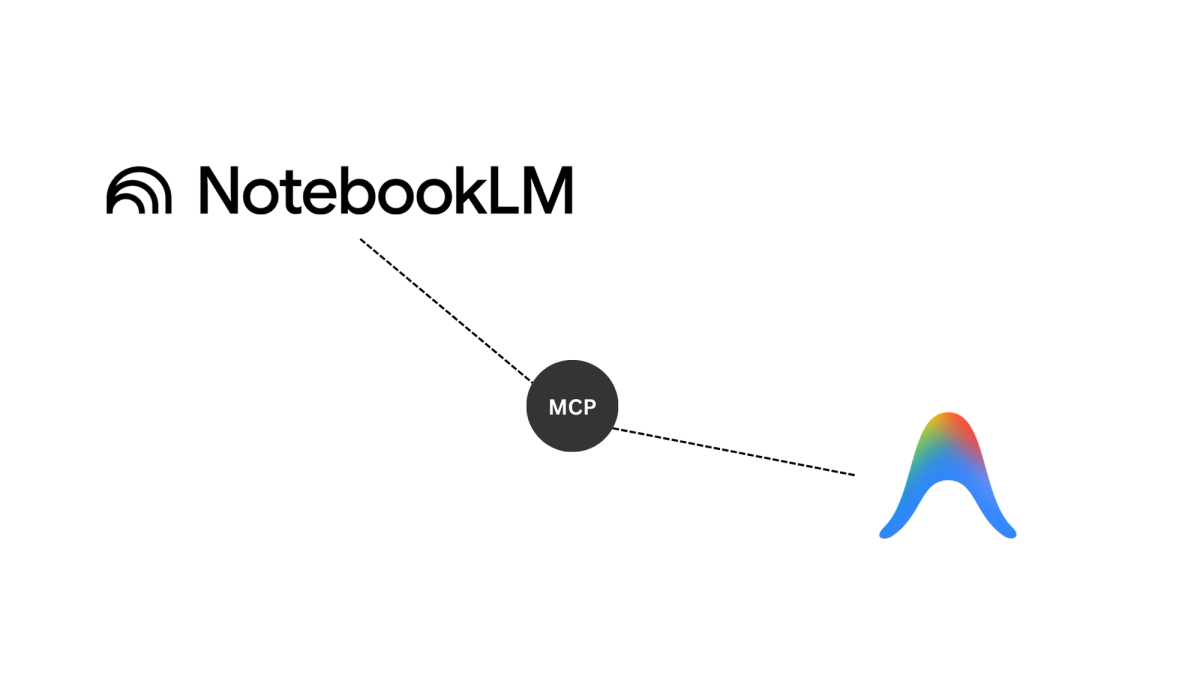
MCP stands for Model Context Protocol. It's a way for AI tools to talk to other tools instead of working in isolation. Think of it this way: normally, you'd photocopy a document and hand it to your assistant every time they needed to reference it. With MCP, you give them a direct line they can call whenever they need an accurate answer. They ask, they get a cited response, they keep working.
In practice, this means my AI code assistant (Antigravity) can query NotebookLM mid-task. Instead of me copy-pasting relevant sections, or hoping the assistant remembers what was in the context file, it can reach out and ask the research hub directly. The research hub answers from the document. Not from a guess.
The two tools stay separate. Each does what it's good at. The code assistant handles building. NotebookLM handles document intelligence. MCP is just the connection between them.
The Tender Example
I tested this properly with a tender document. A real one, with real requirements. The kind of document that's 40-plus pages of dense text, specific criteria, formatting requirements, submission deadlines, and evaluation frameworks.
The old approach would have been to skim it, pull out what seemed important, maybe paste key sections into context. That introduces human error before you've even started. And if you then feed that partial, manually-curated context to an AI assistant, you've compounded the problem.
Instead I built a notebook in NotebookLM with four sources: the criteria document, the requirements document, the funder's website, and a page of previously funded projects. Two documents, two links. Everything relevant to the submission in one place.
I spent time querying across all of it before touching the code assistant at all. What are the mandatory requirements? What are the evaluation criteria and how are they weighted? What do the previously funded projects have in common? Does the requirements document contradict anything in the criteria?
NotebookLM gave me cited answers I could verify. Once I understood the document properly, I connected it to Antigravity via MCP. When the code assistant needed to reference specific requirements while building the response structure, it queried NotebookLM directly rather than working from whatever was in its context window.
The quality difference was significant. Not because the AI got smarter. Because it had access to accurate information at the point it needed it.
Where This Lands in Design Work
The tender was a useful test case but it's not where this workflow will matter most for designers. The more I think about it, the more obvious the design applications become.
A client project notebook. Before starting any significant project, you could pull together the brief, the client's existing website, competitor sites, previous brand materials, and any strategy docs they've shared. Add them all to one notebook and query across them before you touch anything else. What are the real constraints here? What is the client's actual tone versus what they say their tone is? Where do the competitors have gaps? You get answers grounded in the actual sources, not in what the AI thinks is probably true.
Brand guidelines. Not just the PDF, but the client's live website alongside it. You can ask whether the guidelines and the actual implementation match. That's a question a context file can't answer.
RFP responses. Same logic as the tender. Add the RFP document, the client's website, any background material they've provided, and query across all of it to understand what they actually need before writing a word.
Research phases generally. Any project where you're pulling from multiple sources and need to keep track of what came from where. NotebookLM handles that without getting confused about which source said what.
I haven't run all of these yet. But once you've used the setup once, the other applications become obvious. Anywhere you'd normally be toggling between tabs, trying to hold multiple sources in your head at once, is a candidate for this workflow.
Context File or NotebookLM: A Simple Decision Rule
You don't need to overthink this. One question usually settles it.
Would you trust yourself to summarize this document accurately in two pages?
If yes, a context file is fine. Write the summary, structure it well, add it to your project. The AI has what it needs.
If no, because the document is too long, too technical, too layered, or too important to risk summarizing, use NotebookLM. Upload the full source. Query it properly. Connect it to your code assistant if you need the two to work together.
The rule isn't about which tool is better. It's about matching the tool to what the document actually demands.
The Bigger Point
Most designers right now are either avoiding AI entirely or throwing everything at one tool and hoping for the best. Both approaches have obvious problems.
What I'm finding more useful is thinking about AI tools the way you'd think about any other set of tools. They're not interchangeable. They each do specific things well. The skill isn't in finding the one tool that does everything. It's in understanding what each tool is actually good at, and building a workflow that uses them accordingly.
NotebookLM is not a code assistant. A code assistant is not a research hub. But connected, with the right documents feeding the right tool, they cover ground that neither could handle alone.
That's the setup worth understanding now, before everyone else figures it out.