Migrating My Website From Builder.io to Custom Code
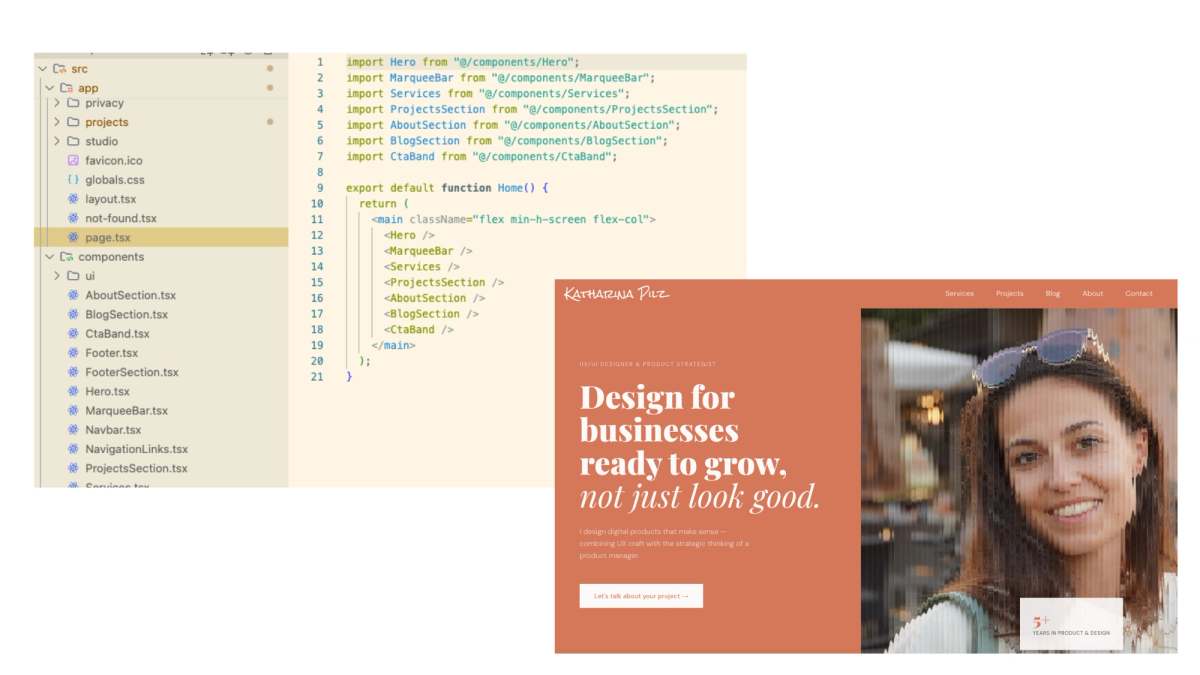
When I first built my website, Builder.io made total sense. I was a designer who wanted something live without depending on a developer for every change. My first blog post on this site was actually about how I built it, so this post is in a way its sequel.
The setup was simple: a Next.js shell in code for the structure (navigation, footer) and Builder.io handling everything in the middle. I designed the site in Figma and brought it into Builder.io, which was straightforward with the plugin. Pages, blog posts, project pages. I could update content, publish new posts, and make layout changes without touching the codebase.
But then something shifted. AI code assistants got good enough that the gap Builder.io was filling, between what I could design and what I could actually build , started closing on its own. And once that gap closed, the visual editor started feeling like an extra layer I didn't need anymore.
This post is about that shift. What Builder.io is actually good for, why it stopped being the right tool for me, and what my stack looks like now.
What Builder.io is and who it's actually for
Builder.io is a visual development platform. You connect it to your codebase and then non-developers (designers, marketers, content editors) can build and update pages without touching code. It bridges the gap between design and development teams.
In a team where developers are busy and marketers need to ship a landing page by Friday, Builder.io makes a lot of sense. You're not waiting on a sprint. You're not filing a ticket. You just build it visually and publish.
It also has a Figma to code feature. You paste in a Figma design and it generates production-ready code. For designers who want to go from design to live without a developer in the loop, that's a genuinely useful shortcut.

What changed
However, AI code assistants changed the equation. Tools like Cursor or Antigravity let you describe what you want and get working code back in seconds. Not boilerplate. Actual, usable code that fits your project.
For designers with some code knowledge, this is a big deal. I know what I want. I know roughly how it should work. I just didn't always want to write every line myself. Now I don't have to.
And then Figma MCP made it even more direct. You can go from a Figma design to code without an intermediate visual editor at all. The bridge Builder.io was providing started to feel redundant.
The gap closed. And with it, the case for keeping an extra layer in my stack closed too.
What the migration actually looked like
Once I decided to move, the first question was practical. If I move everything to code, where do my blog posts and projects actually live? I still needed somewhere to write and manage content without touching the codebase every time.
There are good free options for this. Contentful, Sanity, etc., all headless CMS tools that sit separately from your code and give you an editing interface. I went with Sanity. It integrates cleanly with Next.js, the free tier is generous, and the Studio runs at your own domain. It feels like part of your project rather than an external tool you're plugged into.
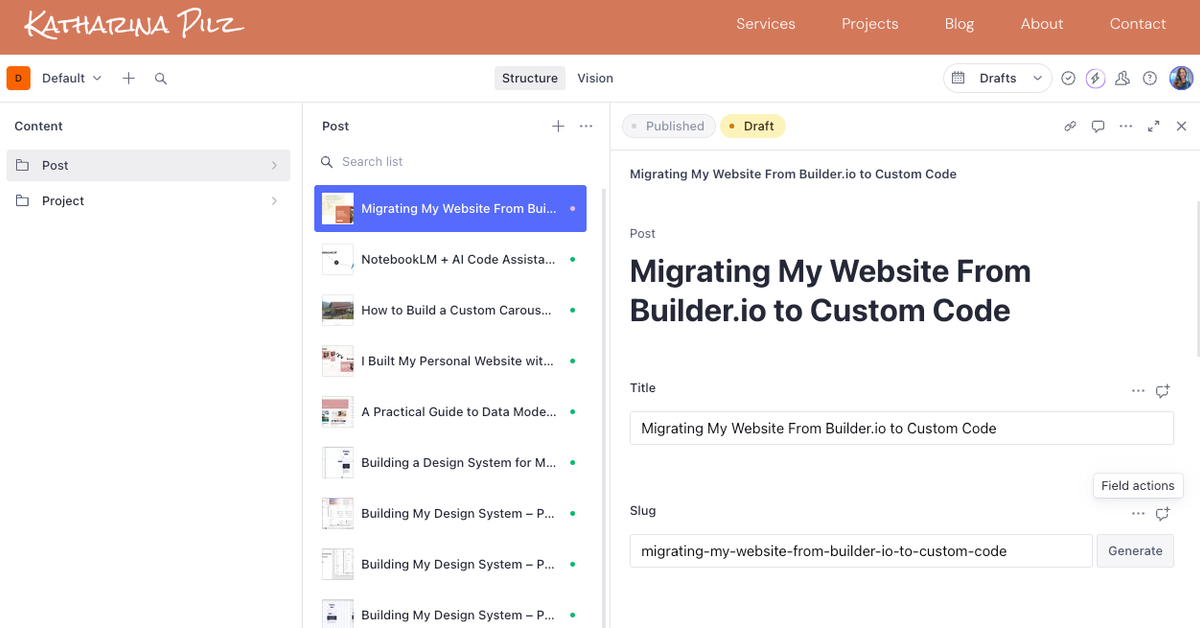
Setting it up was mostly handled by the AI agent. I used Antigravity with Claude and Gemini. You describe what you want, it writes the code, you review and adjust. The one thing you always have to do yourself is provide the APIs and make the actual decisions, like what fields a blog post has, how projects are structured, what the content model looks like. The agent implements. You decide.
Same for the pages. Blog overview, post detail, projects page, all built with the AI agent. For the redesign I didn't even open Figma this time. I used the frontend design skill I wrote about in a previous post, gave it direction and visual references, and tweaked the output until it felt right. Clean components, fully owned, no visual editor in between.
The contact form was one thing I hadn't thought about upfront. In Builder.io that was handled for me. I ended up using Resend for email delivery and since the site is hosted on Vercel, the integration was simple. Again, the AI agent handled the implementation. I just set up the Resend account and provided the API key.
Migrating my existing content from Builder.io into Sanity is a whole separate story. I'll cover that in a dedicated post.
One thing worth paying attention to during any migration: SEO. Make sure your URLs stay exactly the same. A changed slug means lost rankings and that's not something you want to discover after the fact.
Was it worth it?
Yes. I can build anything I can imagine now. No ceiling, no workarounds, no fighting an editor on details. Adding a post in Sanity takes two minutes. The whole thing just feels cleaner.
For sure, there's more to set up upfront, like the CMS, hosting, contact form, email delivery. Things Builder.io handled quietly in the background. With a custom stack you make those decisions yourself. The AI agent handles most of the implementation but you still need to understand what you're building and be willing to learn as you go.
But that bar is getting lower every month. AI assistants are getting better. The gap between "I can design it" and "I can build it" is shrinking for everyone. You don't need a deep code background anymore. You need curiosity, a willingness to iterate, and the design thinking to know what you actually want to build.
The ceiling for what a designer can build on their own has never been higher. And honestly, it's only going up.