Creating Animated UI Demos for Your Website in Code Instead of Video
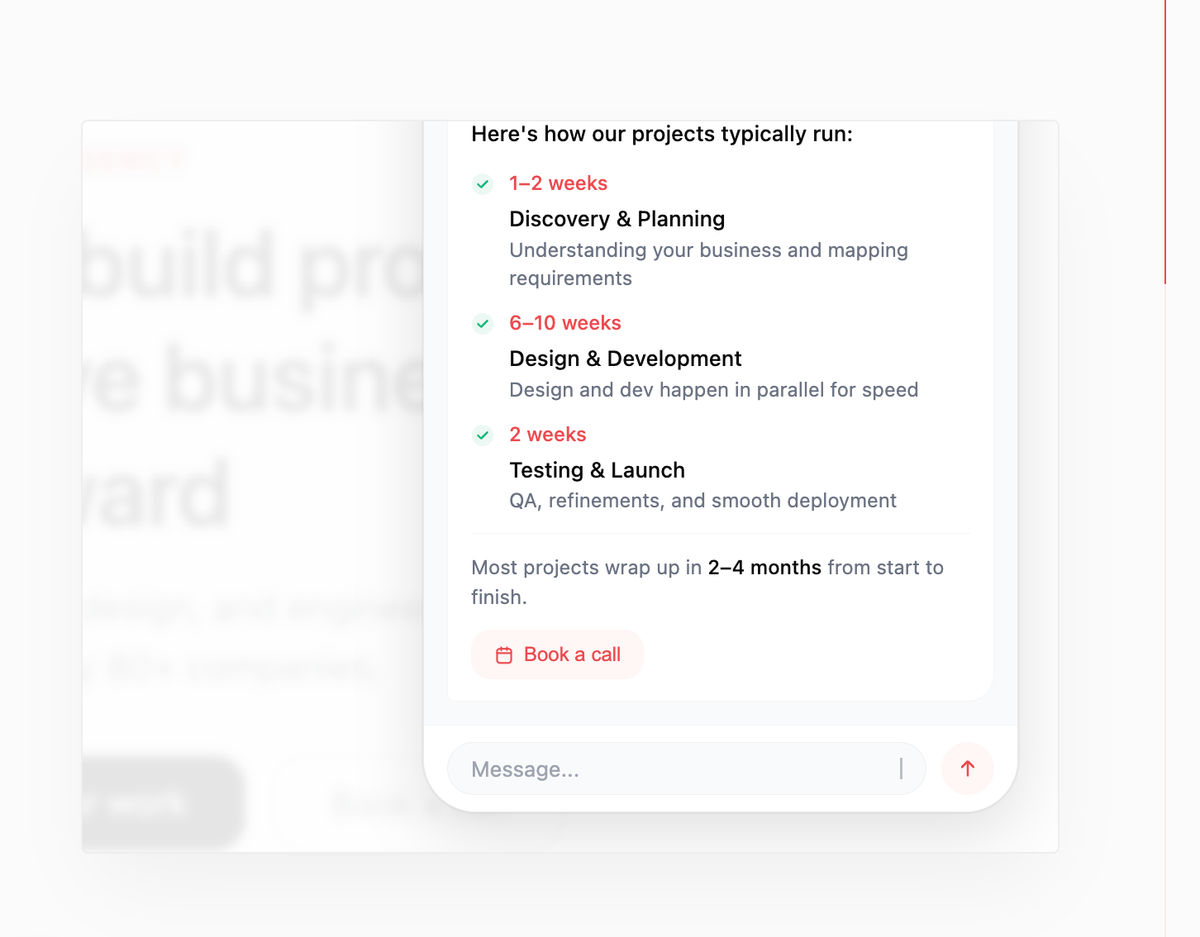
There's always that moment in a website project where you need to show a feature in action. Not describe it. Show it. Screen recordings work great when you have a shipped product and want to show it as-is. I use them all the time. But sometimes that's not what you need. Sometimes you want to showcase a specific feature without the full interface around it, or demonstrate a concept that doesn't fully exist yet. Something more abstract, more focused.
I ran into this while working on our agency site. We wanted to show what we can build for clients, but a full screen recording wasn't the right fit. Too much context, not enough focus. I thought about After Effects, Figma prototypes, Jitter. Then Claude suggested something I hadn't considered: just build it in HTML.
So I tried it. And it worked better than I expected.
The first attempt
I started with a fairly broad prompt. Described roughly what I wanted to see: a UI element, an interaction, the general feel. Claude came back with something that wasn't bad at all for a first shot, but it needed work. The framing was off, the style didn't quite match what I had in mind, and a few details were missing.
So we iterated. I got more specific with each round, describing the scene more precisely, the effect I wanted, how it should be framed on the page. Each version got closer. That back and forth is just part of the process, and it's actually fast once you know what to look for.
The output was a single HTML file. Self-contained, animated, looping on its own like a video. No dependencies, no framework, just a file that ran in the browser.
Bringing it into the codebase
Once I had an HTML file I was happy with, the next step was getting it into the actual project. I'm working in Next.js, so a raw HTML file wasn't going to sit cleanly in the codebase. I handed it to the AI agent (I used Claude Code) in Antigravity and asked it to convert it into a React component.
What came back was a proper TSX component. But the part that impressed me was that the agent also picked up the colors from my global.css design system and applied them automatically. So instead of hardcoded hex values that clashed with the rest of the site, the widget just fit. Same typography feel, same color palette. It looked like it belonged there from the start.
The widget runs on loop, exactly like a video would. But it lives in the codebase, scales with the layout, and can be tweaked in seconds. No export, no file to manage, no re-recording if something changes.
Turning it into a skill
After finishing the first widget I had a feeling this wouldn't be the last time I'd need something like this. A feature to showcase, a concept to visualize, a workflow to demonstrate. The problem was solved once but the process wasn't captured anywhere. Next time I'd be starting from scratch again.
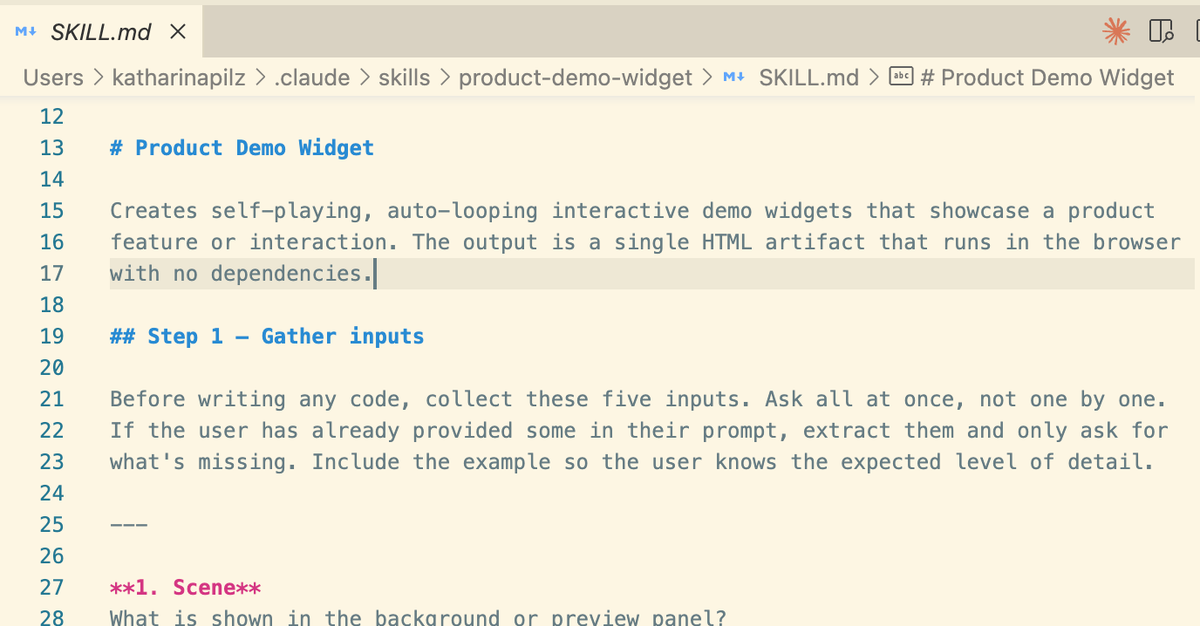
That's exactly what skills are for. A skill is a structured instruction file you give to an AI assistant before it starts working. It encodes everything you learned the hard way so the AI doesn't have to figure it out again. Better inputs, better outputs, every time. You can use skills in two ways. In Claude chat, you add them directly to your profile and Claude references them automatically in relevant conversations. In your codebase, the skill lives as a .md file in your project and your AI agent reads it before building. I created this skill in Claude chat first, then adapted it for my codebase, so I will have it available in both.
So I took everything I had refined during that first widget and turned it into a skill. The questions worth asking upfront, the layout decisions that matter, the loop engine that makes it feel polished, the things that go wrong if you don't specify them.
But the first version of a skill is never the final version. The first time I tested it, every single output looked like a chat interface. Something in the instructions wasn't clear enough about inferring the right layout from the user's input rather than defaulting to whatever felt familiar. I fixed that. Then the next run produced widgets with completely inconsistent sizes because I hadn't specified aspect ratio anywhere. Fixed that too. Every time you use a skill you learn something, and you improve it based on what you find. The difference is you never start from scratch. Each version is better than the last, and the knowledge compounds.
The skill is available as a free download at the end of this post. Drop it into Claude chat or your codebase and it will walk you through the whole process.
Was it worth it?
Building the first widget took longer than a screen recording would have. That's just honest. But the result is something a screen recording could never give you: an animated, looping UI demo that lives in your codebase, scales with your layout, matches your design system, and can be updated in seconds.
For the right use case it is genuinely the better tool. When you want to show a specific feature without the full interface around it. When the product doesn't exist yet. When a screen recording would feel too raw or too off-brand for the context.
And now that the skill exists, the next widget will be faster than the first. That's the whole point. You solve the problem once, you encode what you learned, and it compounds from there.